Your own server
Projects, users, resources and production records sit on one Arkite server in your network: physical, virtual or in your private cloud.
Arkite runs on your own server, on-premises or in your private cloud. Access is role-based, every change is logged, and AI features that need the internet are off by default.
Where does Arkite store data, and who owns it?
All project and production data is stored on your own Arkite server, on-premises or in your private cloud, and remains fully owned by you. Workstations connect to that server over your own network.
Projects, users, resources and production records sit on one Arkite server in your network: physical, virtual or in your private cloud.
Users are local Arkite users or Active Directory users, with access per group. Default roles include System Admin, User Manager, Editor and Approver, and custom roles can be added.
Every change to projects and settings is recorded with user, timestamp, previous and new values, in append-only records protected by a hash chain.
Projects have a Draft, Review or Production status with a full version history. With the approval workflow, only Approvers release to Production. Operators have read-only access.
Databases are backed up automatically when changes occur, with configurable frequency, and a backup is created before each server upgrade. Updates are installed centrally.
Viewing, recording and snapshots of sensor streams are limited to users with a dedicated role. Images are stored only when explicitly configured.
| Details | |
|---|---|
| Server | Windows Server 2012 or higher, or Windows 10 Enterprise LTSC 2019 or higher, on a physical server, virtual machine or private cloud VM |
| Communication | REST API over HTTPS (port 443), reachable by workstations, MES and ERP, over a reliable wired network |
| Databases | Log data in SQLite by default, or in your own MySQL, MS SQL Server, Oracle or MariaDB, with configurable retention |
| Updates | Installed on the server; workstations detect the version difference and offer to update |
| Remote support | Through VPN or TeamViewer, via your firewall |
The AI detection algorithms of Arkite VISION run locally on the workstation and need no internet connection.
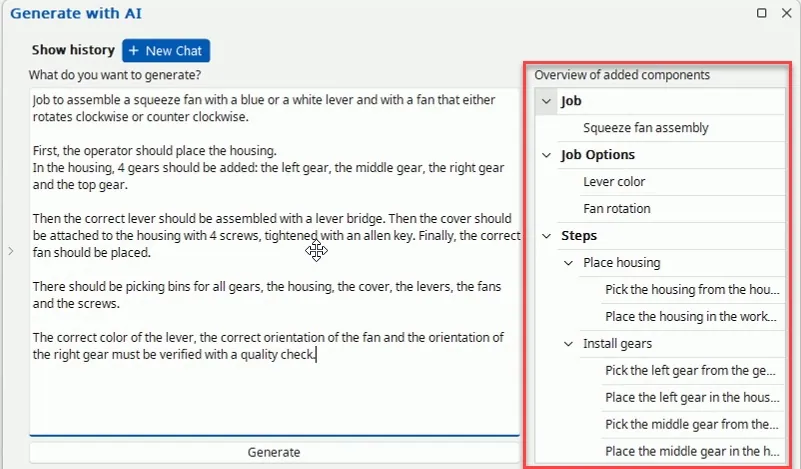
AI job generation and translation are optional integrations with OpenAI or Anthropic, configured with your own key. They are disabled by default, and send text to the selected provider only when enabled.
No. Arkite runs on your own server, on-premises or in your private cloud. Your project and production data stays in your network.
No. Only the optional AI job generation and translation need an internet connection, and only when they are enabled.
Centrally on the Arkite server, as local users or Active Directory users with access per group. A user can log in on every connected workstation.
Yes. Every change to projects and settings is logged with user, timestamp and previous and new values, in append-only records protected by a hash chain.
Access to sensor streams and recordings is limited to users with a dedicated role, and images are stored only when this is explicitly configured. Arkite NV processes personal data in line with the GDPR.
Our team walks your IT department through server sizing, network requirements and data handling.
Your privacy choices
We use analytics to understand how the website is used and to measure the results of our campaigns on LinkedIn, Google, Microsoft and Meta. Statistics and conversions run through our own server. To show our ads to earlier visitors, tags from Google, Microsoft and LinkedIn are loaded in your browser. Embedded calendars, webinar forms and videos come from their providers and may set their own cookies. See our privacy notice.