Cycle times
Actual against expected cycle times, per job, per variant and per workstation.
Manual operations are often the blind spot in production data. Arkite records every guided and validated step, so manual execution becomes measurable, comparable and traceable.
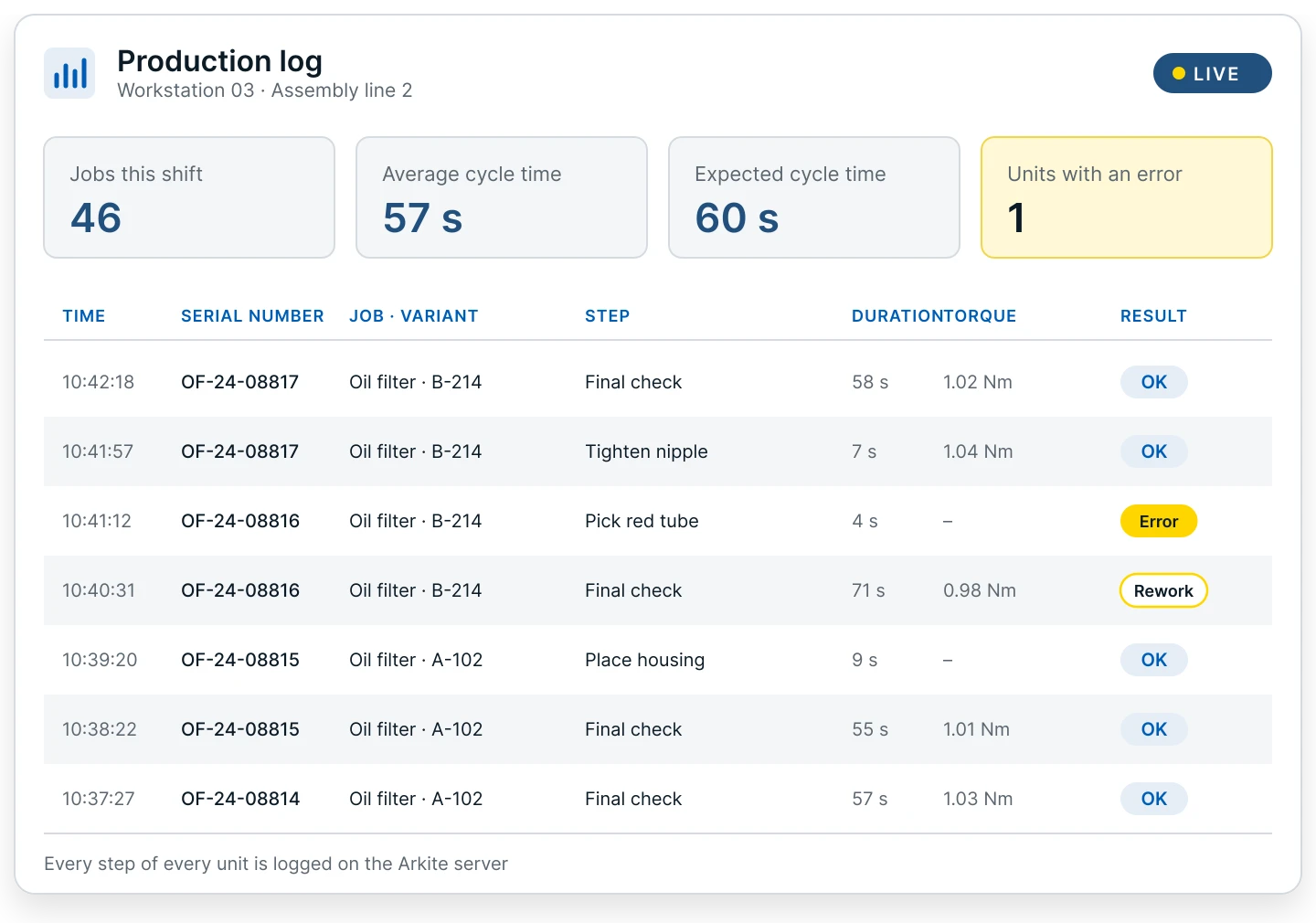
Because every step at an Arkite workstation is defined, guided and, with Arkite VALIDATE and Arkite VISION, verified, the platform knows exactly what happened, when and on which unit. No separate data collection effort is required from operators.
Every workstation continuously feeds this data back to the Arkite server, which becomes one central source of production data from manual operations.
Actual against expected cycle times, per job, per variant and per workstation.
Which steps take longer than expected, and where the process stalls on a particular unit.
What went wrong, when and on which workstation, including the validation result of each step.
Results from integrated smart tools, logged per assembled unit.
Number of items picked per step in kitting and assembly.
Operator and experience level used, when individual identification is enabled.
The Arkite software includes four dashboards for real-time monitoring of manual operations. They answer practical questions on the shop floor: which product takes longest to assemble, which step causes delays, and which unit needs attention right now.
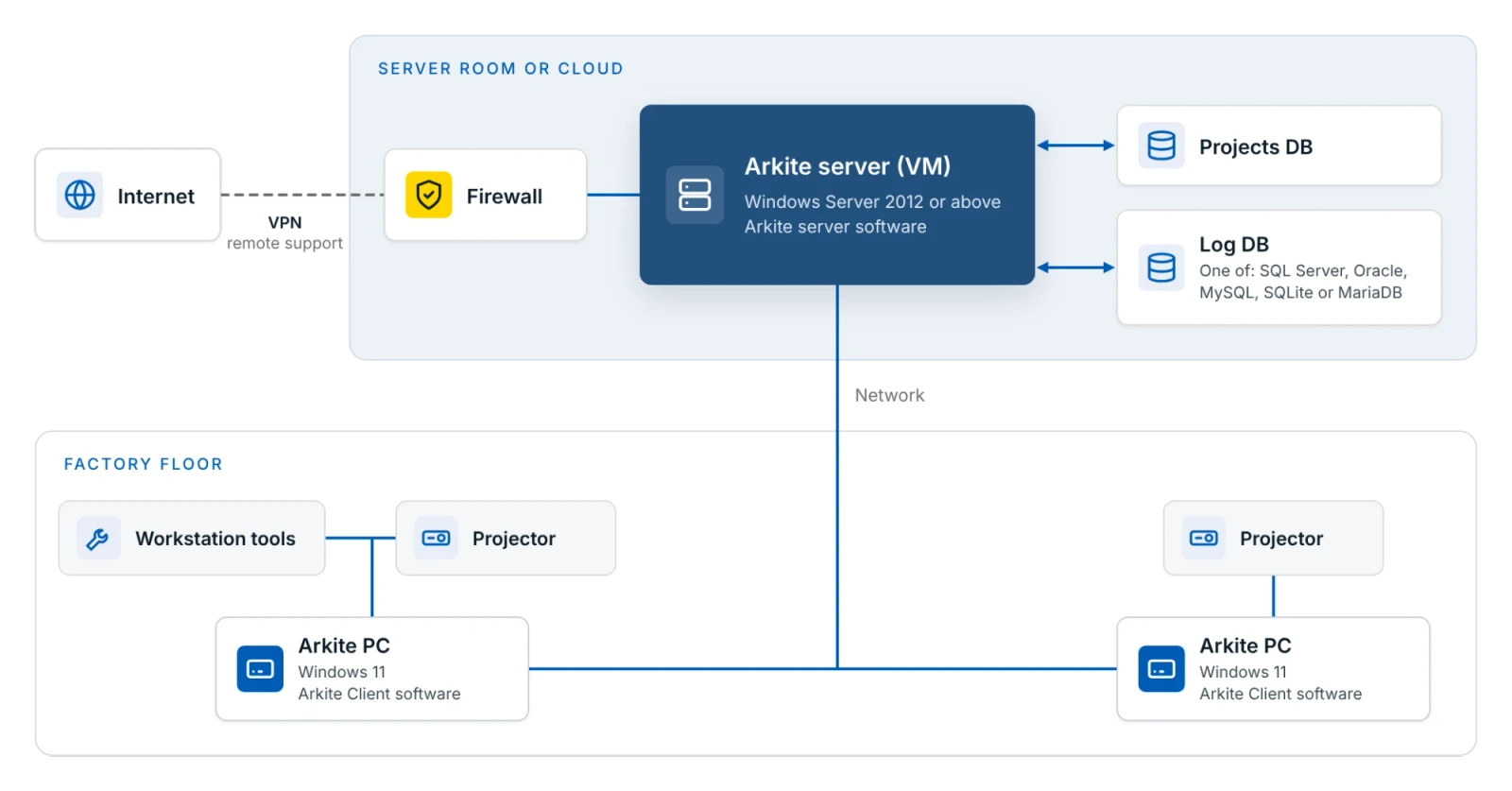
Log data is stored in an SQLite database by default. Other database types are supported too: MySQL, MS SQL Server, Oracle or MariaDB. Retention is configurable in rows or days.
From there, production data reaches Power BI or any other BI platform through a direct database connection, CSV export or the Arkite API. Manufacturers use it alongside MES and ERP data to monitor flow, find bottlenecks, optimize cycle and takt times and reduce scrap and rework.
Arkite records every operator action, validated step and deviation against a production order and serial number. In case of a quality issue, you can retrieve the full history of a specific unit.
Project and settings changes are kept in an append-only audit log, protected by a hash chain.
Product output and step times show which products and steps slow the line down, so engineering effort goes where it matters.
Cycle times and error logs show where additional training or guidance is needed. Per-operator data is only recorded when individual identification is enabled, so it can be set up in line with local privacy and works council requirements.
Live step durations and unit status show which workstation or unit requires attention during the shift.
Turning manual execution into production intelligence.
We show the dashboards and data model on a workstation configured for your process.
Your privacy choices
We use analytics to understand how the website is used and to measure the results of our campaigns on LinkedIn, Google, Microsoft and Meta. Statistics and conversions run through our own server. To show our ads to earlier visitors, tags from Google, Microsoft and LinkedIn are loaded in your browser. Embedded calendars, webinar forms and videos come from their providers and may set their own cookies. See our privacy notice.