Output that does not depend on who is on shift.
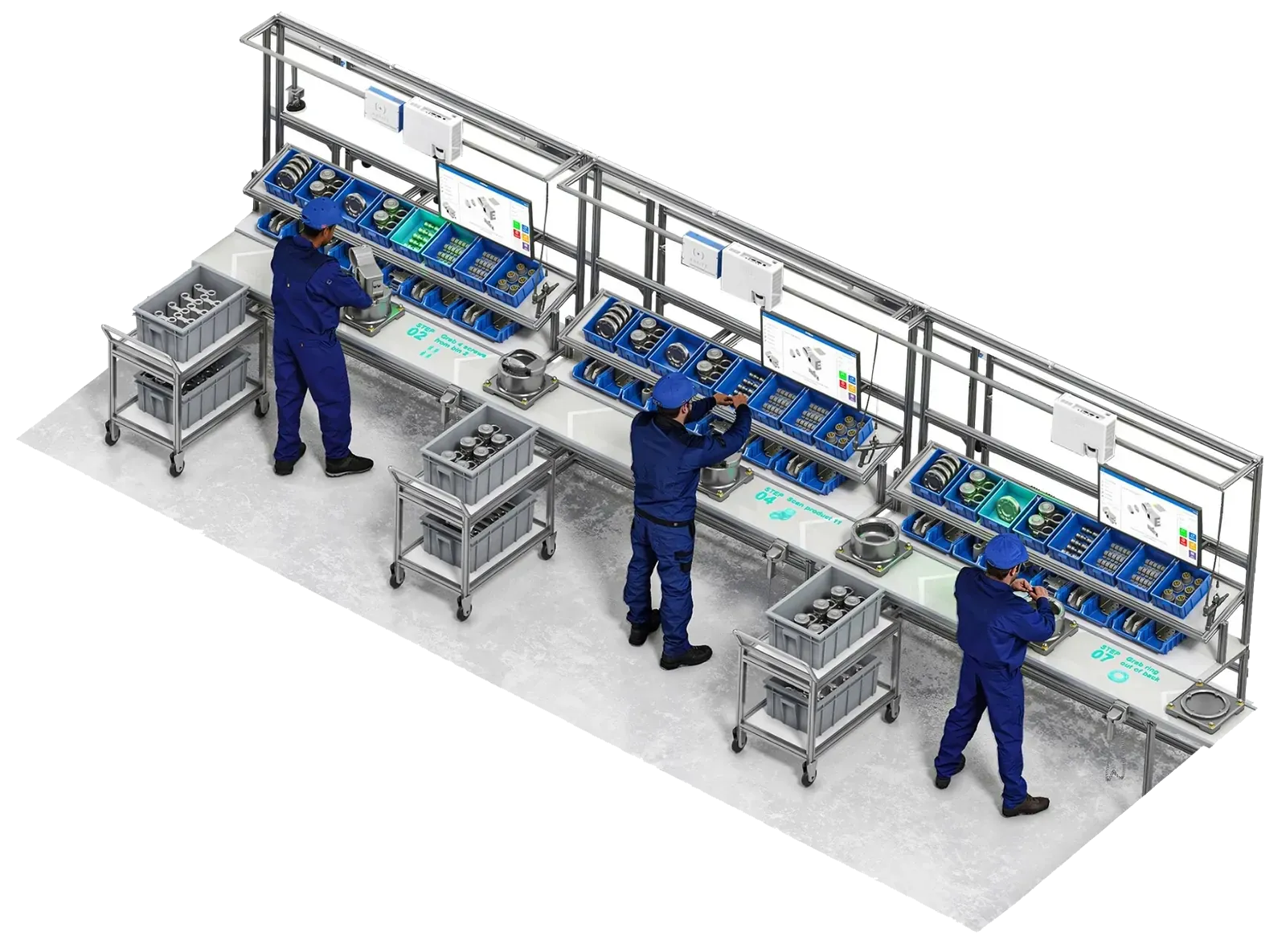
You answer for output, takt and delivery, but on manual lines those numbers depend on people. Arkite guides, validates and measures every manual step, so new operators, new variants and new shifts deliver the same result.
What production managers tell us.
A new operator needs weeks next to a senior colleague before they can work alone.
Onboarding and turnover
Every variant changeover is a risk. One wrong part and the batch goes to rework.
Variant complexity
Output depends on who is on shift today.
Process stability
I see what went wrong at the end of the shift, when it is too late to act.
Visibility
Four problems on the shop floor, and what changes with Arkite.
 01
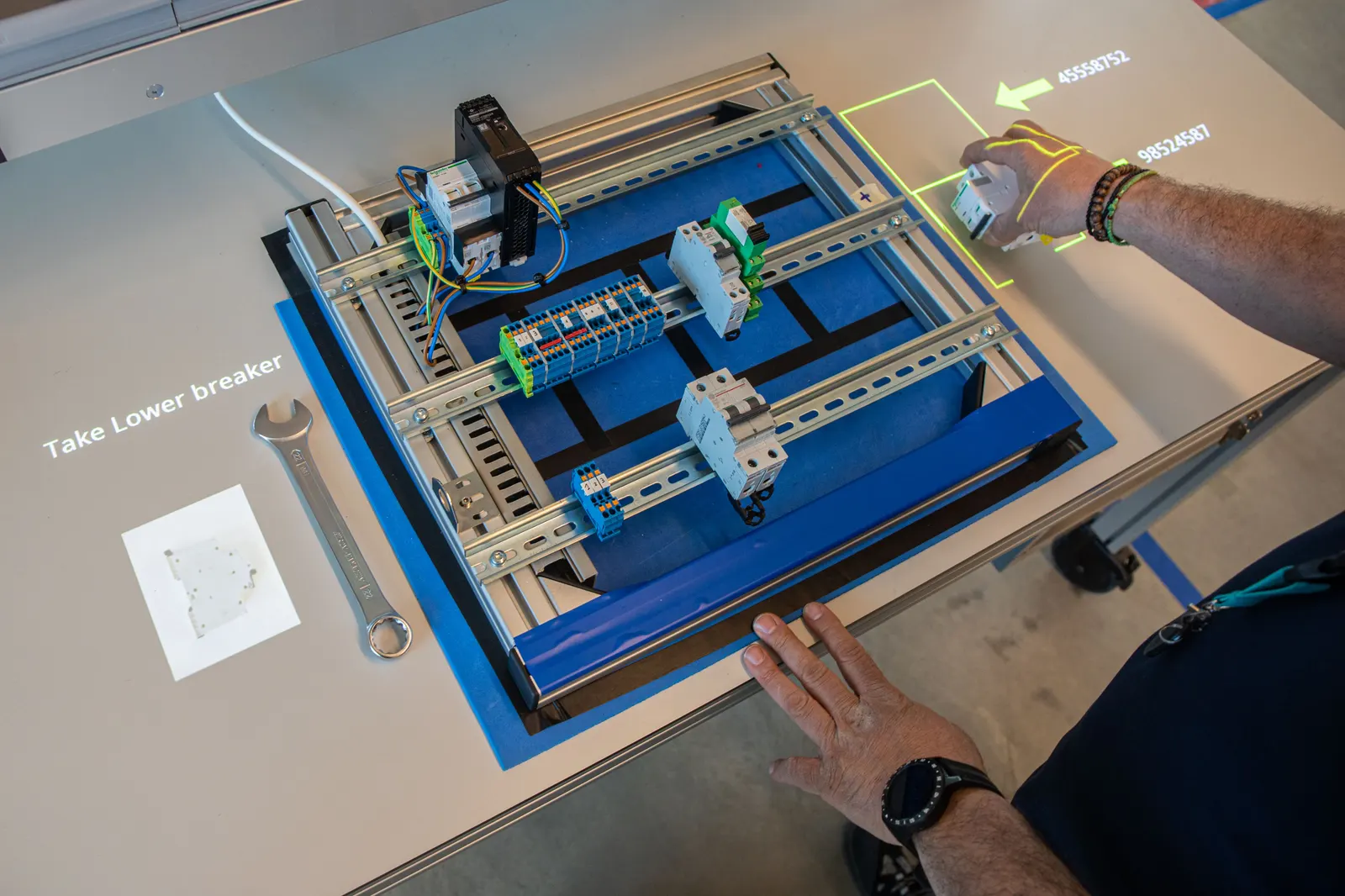
New operators work on their own, sooner.
- Today
- Experienced operators spend hours training new and temporary staff.
- With Arkite
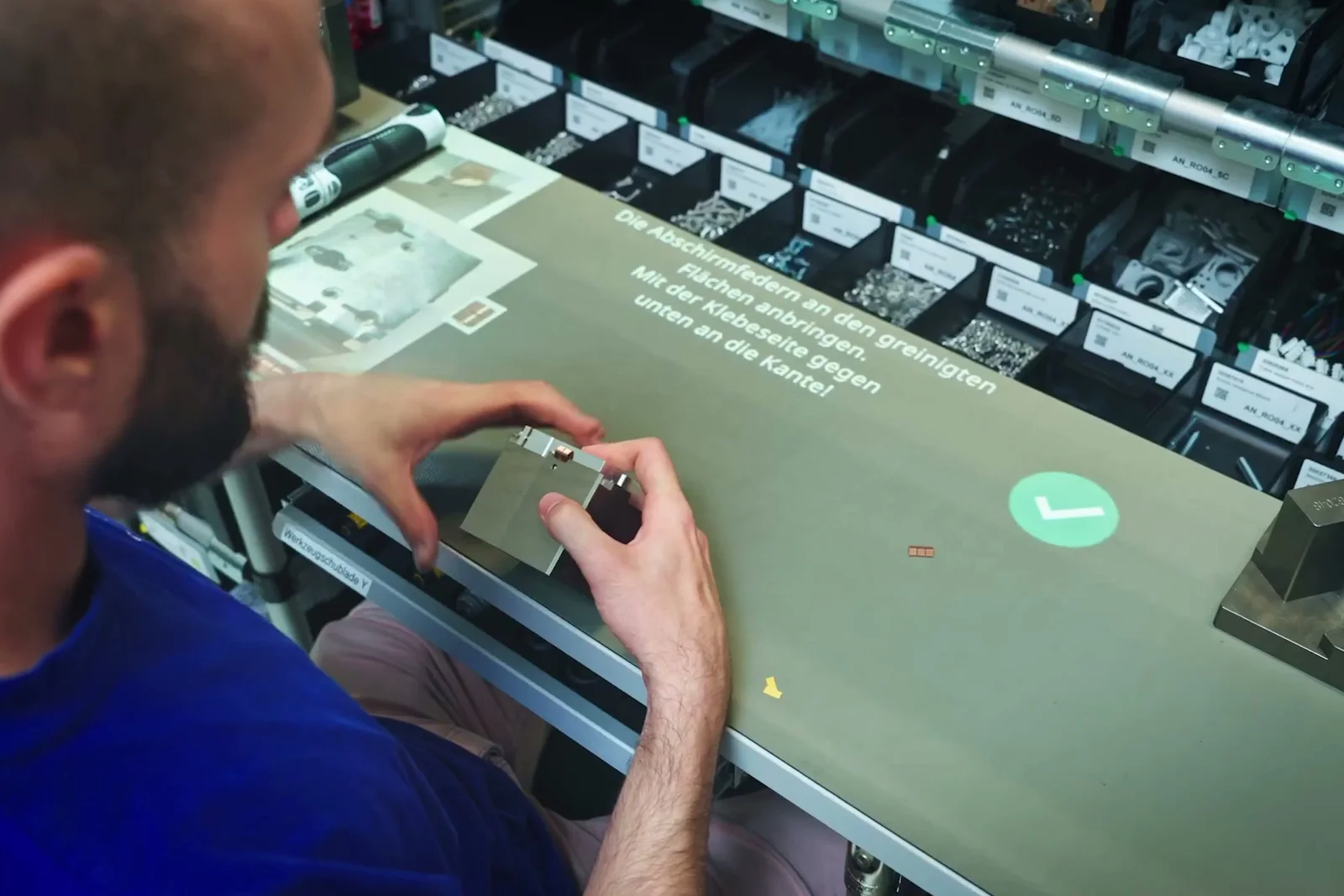
- Each step is shown on the workbench: what to pick, where it goes, what comes next. Guidance reduces as operators gain experience.
 02
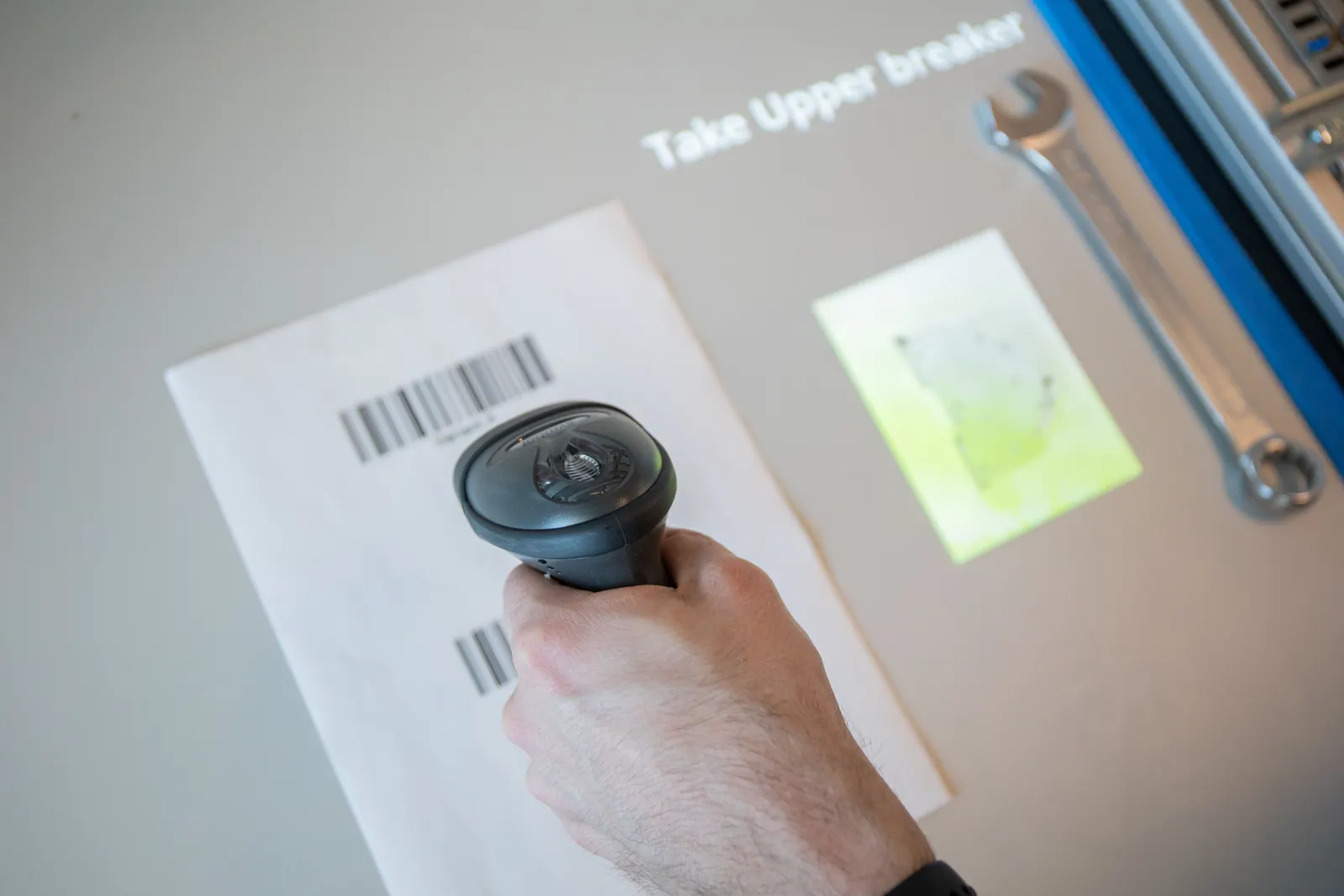
The right job for every product, without searching.
- Today
- Many variants mean frequent changeovers that depend on memory.
- With Arkite
- A barcode scan or a connected MES loads the right job. The operator only sees the steps for that variant.
 03
Errors are caught at the step, not at end of line.
- Today
- Every shift works a little differently, and mistakes show up at final inspection.
- With Arkite
- A 3D sensor checks each pick and assembly action. The operator is warned the moment something is wrong.
 04
See where time is lost while the shift runs.
- Today
- Reports arrive after the shift and do not show which step took too long.
- With Arkite
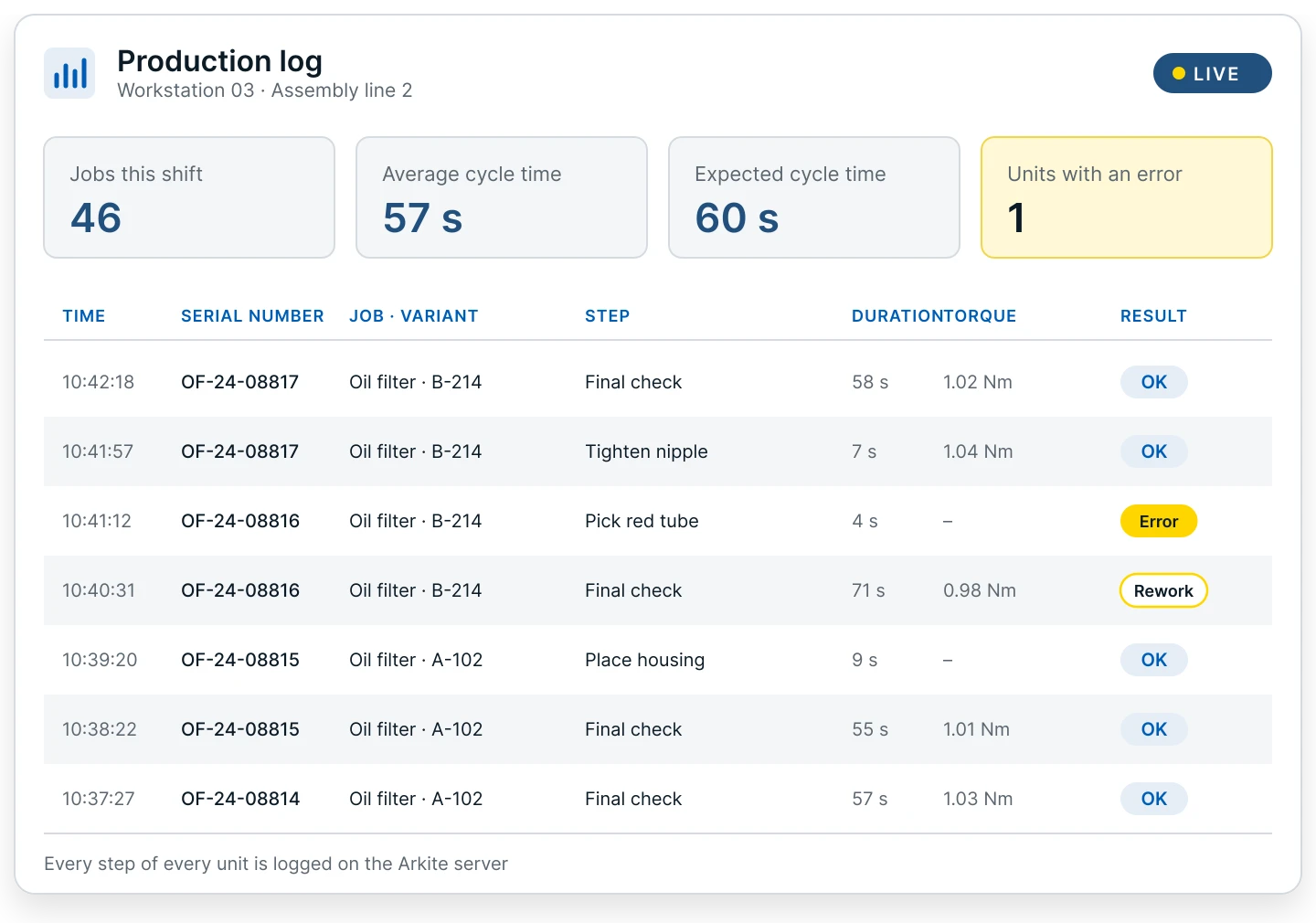
- Live dashboards show output, cycle times and time per step for every workstation, with export to Power BI or other BI tools.
The indicators Arkite moves on a manual line.
- Down
Time to competency
New and temporary operators are productive earlier.
- Down
Errors, scrap and rework
Mistakes are stopped at the step, not found at end of line.
- Down
Cycle time variation
The same procedure for every operator and shift.
- Up
Output per shift
Less waiting, searching and correcting at the station.
- Up
Workforce flexibility
Operators move between lines without retraining from paper.
- Up
Visibility per station
Live status, output and step times on one dashboard.
The size of each effect depends on your process. It is measured on your own pilot workstation.
How a shift runs with Arkite.
- 01
Operator logs in
A badge scan identifies the operator and sets the experience level and language.
- 02
The right job loads automatically
The workstation loads the correct job and variant from a scan or a connected system, removing manual selection errors.
- 03
Guided, validated execution
Instructions are projected on the workbench. With Arkite VALIDATE, the 3D sensor confirms each pick and assembly action and the workflow continues automatically.
- 04
Data flows back
Cycle times, step durations, errors and torque values are logged per unit on the central Arkite server.
Questions from operations
Will guidance slow down experienced operators?
No. Experience levels control which visualizations are shown and how fast detections react, so experienced operators work with only the guidance they need.
Can we start on one line?
Yes. Most deployments start with a pilot workstation. New workstations connect to the same server and existing projects are immediately available, so a proven process can be rolled out without rebuilding it.
Does Arkite support kitting and logistics as well as assembly?
Yes. Picking and kitting operators are guided by projection or DMX pick-to-light, and the 3D sensor validates each pick. The same platform covers assembly and packaging stations.
How do we build the business case?
With your own data: current error, scrap and rework rates, labor cost and cycle times, operator turnover and variant count. A pilot workstation validates these assumptions in your environment.
Build the business case on your own production data.
The business case for Arkite is built on your own production data. A pilot workstation is the most reliable way to validate these assumptions in your own environment before a wider rollout.
- Current error, scrap and rework rates, and the cost per defect
- Labor cost and cycle times
- Number of new operators trained per year and time to full competency
- Number of product variants and frequency of changes
- Cost of quality escapes and customer complaints
See Arkite on a line like yours.
We show the platform in the context of your products and define the scope of a pilot workstation together.
- A specialist replies to you personally
- We look at your process, products and systems
- Together we define a first pilot workstation